Trading CS2 skins is straightforward once you know the mechanics, but the gap between a smooth trade and a frustrating one usually comes down to a few things most guides skip over. Whether you’re looking to sell CS2 skins for balance, pick up something new, or move duplicates out of your inventory, this guide covers the full process from setup to execution.
What you need before your first trade
Three things need to be in place before any CS2 skin trading can happen: a Steam account with a public inventory, your Steam trade URL, and an active Steam mobile authenticator. Miss any one of these and you’re either blocked from trading entirely or stuck waiting out a 15-day hold on every item you send.
The mobile authenticator is the one that catches people off guard. It needs to be active for at least 7 days before instant trades are possible. Set it up today and you’ll be trading freely by next week. Skip it, and Steam automatically holds every trade for 15 days, regardless of which platform you’re using. That’s a Steam-level restriction, not something any third-party site can change.
Your trade URL is found under Steam Settings, then Privacy, then Trade URL. Copy it and keep it somewhere accessible. Most platforms ask for it during setup. Make sure your Steam inventory visibility is set to public, otherwise the platform cannot read your items and the trade won’t go through.
How the CS2 skin trading process works
CS2 skins live in your Steam inventory and can move between players three ways: a direct Steam trade with another user, the Steam Community Market, or a third-party platform running automated trade bots. Each method has different tradeoffs in speed, fees, and risk.
The Steam Community Market charges a combined 15% fee on every sale, and proceeds land as Steam Wallet balance only. There’s no way to withdraw that balance as cash. That fee structure is the actual reason third-party platforms exist. A platform like Skinvault prices against Steam Community Market value but without baking in that 15% fee, which is where the price difference comes from.
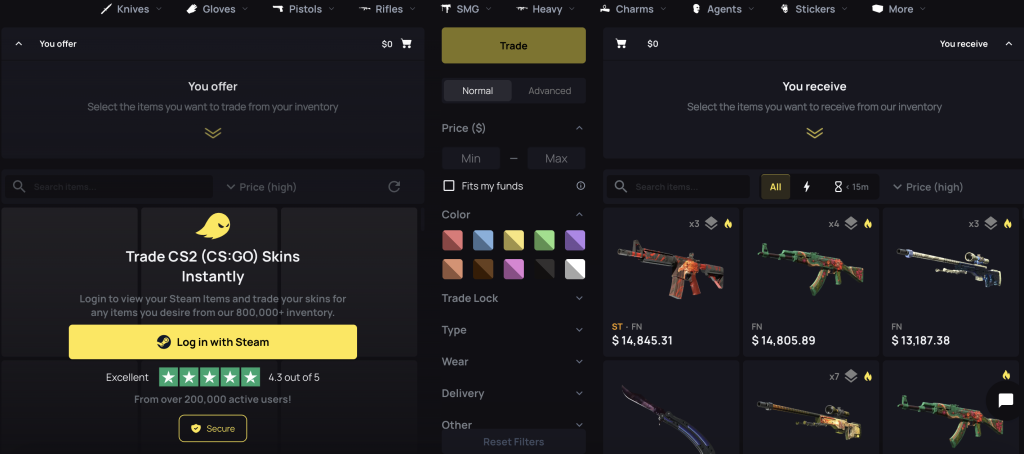
Third-party platforms use automated trade bots, which are Steam accounts loaded with inventory that send and accept trade offers programmatically. Trades complete in seconds rather than waiting on another human to respond. The process is simple: connect your Steam account, find what you want or select what you’re selling, confirm the trade offer in your Steam mobile app, and it’s done.
One thing worth understanding is the 7-day Trade Protected status that applies to every CS2 item after a trade. During that window, the item cannot be re-traded, listed on the Steam Community Market, or have stickers applied or removed. After 7 days, the protection lifts automatically. This also means peer-to-peer cash trades carry real risk. A seller could reverse the trade after receiving payment, and that reversal covers all trades from the past 7 days at once. Bot-based platforms remove this risk entirely because there’s no human counterpart who can trigger a reversal after being paid.
Choosing the right platform to trade on
Not every CS2 skin marketplace is built the same way, and the differences matter more than most new traders expect. The key things to evaluate are pricing transparency, inventory depth, how fast trades actually complete, and whether float and pattern data are shown on listings.
Float matters more on some skins than others, but you want the option to see it regardless. A 0.07 MW skin that sits right at the FN boundary looks nearly identical to Factory New and often trades at a higher price. If a platform doesn’t show float values, you’re buying blind on anything where condition actually affects price.
Speed is another real differentiator. Platforms running proper trade bots complete transactions in seconds. If a site requires manual review or human approval on the other end, that’s a different product. For anyone looking to sell CS2 skins quickly and move the balance toward something else, that delay adds friction that adds up over time.
Skinvault shows float and pattern data on every listing, inventory rotates actively, and trades complete instantly through automated bots. If you’re after a specific float range on an AK or want to check the pattern index on a Case Hardened, that information is on the listing page before you commit to anything.
Common CS2 trading mistakes and how to avoid them
The most common mistake is trading without the mobile authenticator set up properly, which forces every trade into a 15-day hold. Set up the authenticator first, wait the 7 days, then start trading. There’s no workaround.
The second mistake is ignoring float when it actually affects price. Not every skin has meaningful float variation, but on high-demand skins it absolutely does. A sub-0.01 FN on the right skin can be higher in price over a 0.06 FN of the same item. On the other end, an FT with a float close to 0.15 looks almost identical to MW and costs less. Knowing where the visual cliffs are saves real money.
Accepting trades from unsolicited offers is another one. If someone reaches out offering a trade outside a platform and asks to move to a different site or pay via PayPal, walk away. The 7-day trade reversal window means a seller can take payment and reverse the trade after the fact. Stick to established platforms with bot-based trading where that risk doesn’t exist.